Introduction
What HotCRM is, who it is for, and what ships in the box.
Introduction
HotCRM is customer and revenue software for any company that sells products, project services or subscriptions. It carries the work from the first marketing touch to the money: leads and deals, quotes, orders and contracts, the collection plan with the invoices and payments finance records against it, the projects that deliver what was sold, the expenses people spend along the way, and the service cases that follow. It runs on ObjectStack, the platform underneath it.
Six apps
Each line of work has an app of its own. The app launcher offers each person the apps their work needs.
| App | Who works in it | What it covers |
|---|---|---|
| Sales | Sales reps, sales managers, sales leadership | Leads, accounts, contacts, opportunities, quotes, orders, contracts, products and price books, forecasts, the collection plan |
| Service | Service agents, service managers | Cases, SLAs and escalation, the knowledge base |
| Marketing | Marketing users | Campaigns and the leads, contacts and accounts they reach |
| Order to Cash | Accounts receivable, finance controllers | Each account's collection plan, and its invoices and payments with or without a contract |
| Project Delivery | Project managers, project staff, finance controllers | Projects, staffing at a rate card, budgets, timesheets, and what each project costs |
| Expenses | Every employee | Expenses with their receipts, expense reports and their approval and payment back, travel requests |
Service, Marketing, Order to Cash, Project Delivery and Expenses are modules, and so are products and quotes: an administrator can switch one off, and its app and entries leave until it is switched back on — see Enable and Disable Modules. Products, price books, quotes and large-deal approvals are described under Sales; dashboards and reports under Analytics.
The records are wired together: a lead converts into an account, a contact and an opportunity; an accepted quote wins the deal and creates its order, from which a contract is drafted when the sale needs one; a contract carries its collection plan, invoices and payments; a project names the opportunity, contract or order it delivers; a case sees the customer's whole history.
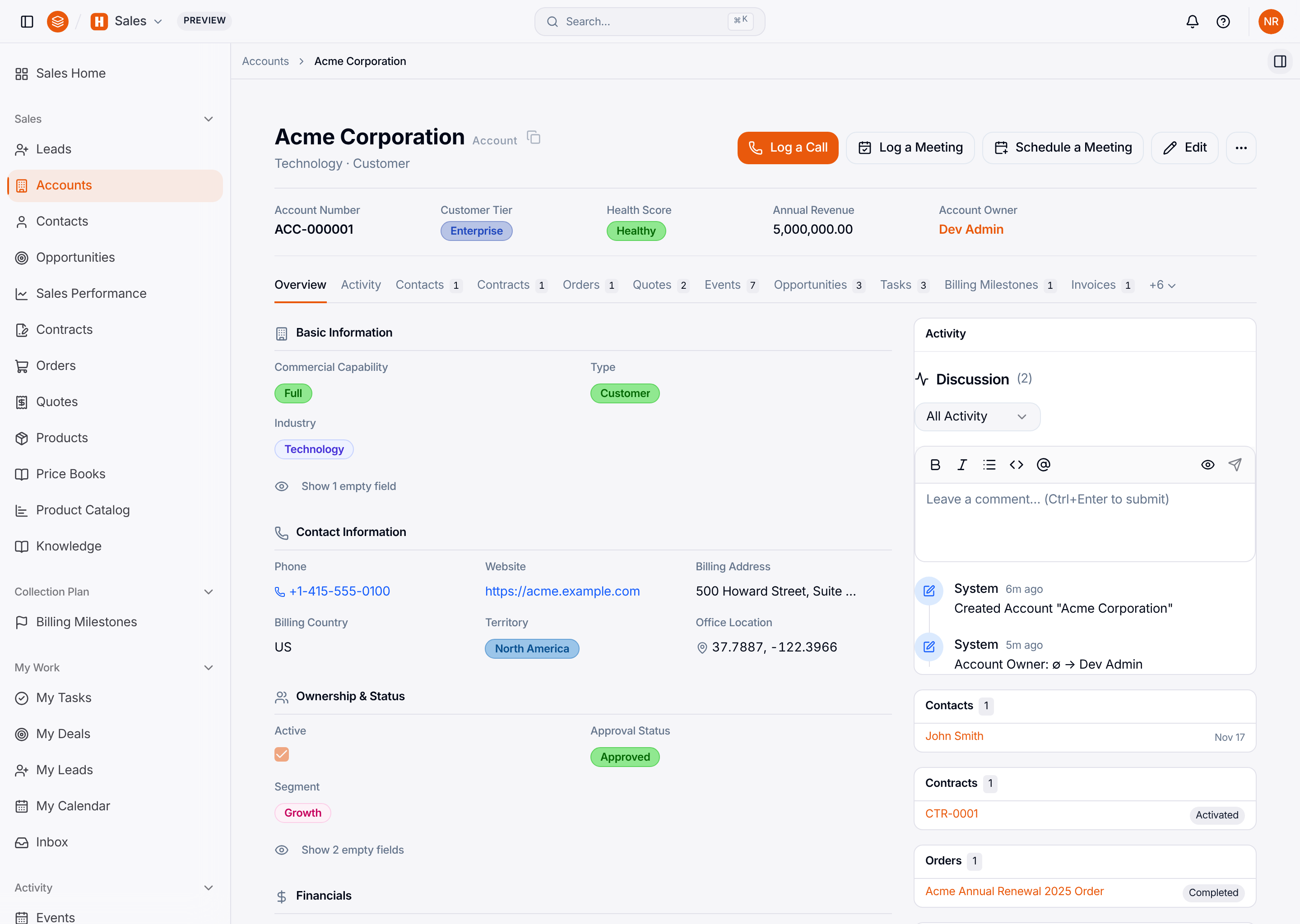
Keep relationship context, open opportunities, contracts, and risks together on the customer record.
Who HotCRM is for
The roles below are the positions an administrator gives people under Setup → Position Holders.
- Sales reps, sales managers, sales directors and executives — leads, deals, quotes, orders, contracts and forecasts.
- Service agents, service managers and service directors — resolving customer cases on time.
- Marketing users, managers and directors — running campaigns and reaching an audience.
- Finance — accounts receivable records invoices and payments; finance controllers approve large projects, budget top-ups and expense reports; both mark approved expense reports paid.
- Project managers, project team members, project directors and the PMO — delivering projects, booking time and approving it.
- Every employee — recording expenses, sending them on a report, and asking before a trip.
- Administrators — setting the system up to fit the business.
What makes it different
1. One record from the first touch to the cash
Sales, finance, delivery and service work on the same accounts, contracts and orders, so nobody re-keys a deal into a second system to plan its billing or staff its project.
2. Built for agents
HotCRM provides the objects, the actions and the skills; the automation that reads a receipt, checks a policy or drafts a reply is the job of your agent, connected over MCP. The agent acts as the person it connects as, under the same permissions and sharing as that person. HotCRM ships no assistant of its own: the assistant is the platform's, and HotCRM teaches it with eight skills. See AI and Agents.
3. Processes ship configured
Approvals for large deals, projects, budget top-ups, timesheets, expense reports and travel requests, SLA escalation and contract renewal reminders come built in (the scheduled ones run where an administrator has switched scheduled work on). Adjust them; you do not have to build them.
4. Built on a metadata-first platform
Every object, field, rule, page and flow is metadata in a Git repository, running on ObjectStack. If you are a developer, see Developers for what that means in practice.
What ships in the box
- 38 business objects across sales, service, marketing, revenue, order to cash, project delivery and expenses, with their fields, picklists and validations.
- 18 positions — flat groups that hand out record access by line of work. Nothing rolls up between them, so each one that needs a record is named by its own sharing rule.
- 50 flows — approvals, lead routing, deal-won and contract notices, renewal and expiration sweeps, SLA escalation, project and expense approvals, and the two billing hand-off events.
- Standard list views, dashboards and reports for every app.
- Eight AI skills for a platform agent — live data, lead qualification, email drafting, revenue forecasting, customer 360°, case triage, expense filing and expense check — and nine actions open to agents: Convert Lead and Schedule Follow-up on a lead, and seven expense and travel-request steps such as Submit for Reimbursement.
- A knowledge article library for support content: one object, seven categories, readable by an agent like any other record.